








Creating a home office space that is both cozy and productive can significantly improve your work-from-home experience. Whether you’re tackling daily tasks or engaging in creative projects, having the right environment helps maintain focus and keeps you comfortable throughout the day. Below are some detailed tips to help you design a workspace that balances comfort with functionality.
Choose the Right Location
Consider Natural Light
Natural light can boost your mood and energy levels. Try to position your desk near a window to benefit from daylight. If natural light is limited, use soft, adjustable lighting to avoid eye strain.
Minimize Distractions
Select a quiet corner or room away from household noise. If sound is unavoidable, consider noise-cancelling headphones or white noise machines to help you concentrate.
Invest in Comfortable and Functional Furniture
Ergonomic Chair and Desk
An ergonomic chair supports your posture and reduces discomfort during long working hours. Pair it with a desk at the right height—your elbows should rest comfortably at a 90-degree angle.
Adjustable Options
Furniture with adjustable height or tilt options can adapt to different tasks and positions, which is helpful for preventing stiffness.
Organize for Efficiency
Declutter Your Space
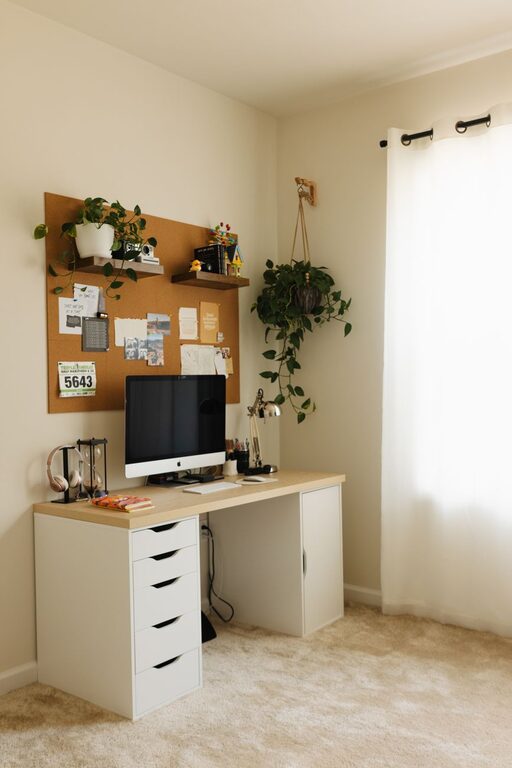
A tidy workspace reduces stress and helps you focus. Use storage solutions like shelves, bins, or drawer organizers to keep essentials within reach but out of sight.
Cable Management
Cables can create visual clutter and get tangled. Use clips, sleeves, or a cable box to keep cords neatly organized.
Personalize for Comfort and Inspiration
Add Plants
Introducing greenery can improve air quality and create a calming atmosphere. Choose low-maintenance plants like succulents or snake plants if you don’t have a green thumb.
Decorate Thoughtfully
Use artwork, photos, or inspiring quotes that motivate you but don’t overwhelm your space.
Optimize Lighting
Layer Your Lighting
Combine ambient lighting (like ceiling lights) with task lighting such as a desk lamp. This layering allows you to adjust lighting depending on your activities and time of day.
Avoid Glare
Position screens and lights to minimize glare, which can cause eye strain and headaches.
Maintain Good Air Quality and Temperature
Ventilate Regularly
Fresh air keeps you alert and prevents stuffiness. Open windows when possible or use an air purifier.
Control Temperature
A room that’s too hot or cold affects concentration. Use a fan, heater, or thermostat to maintain a comfortable temperature.
Create Zones for Different Activities
If space allows, designate areas within your home office for specific tasks, such as a reading nook or a brainstorming corner. This helps switch mindsets and increases productivity.
Use Technology Wisely
Reliable Equipment
Invest in a quality computer, fast internet connection, and necessary peripherals like printers and scanners. Reliable technology reduces frustration and downtime.
Minimize Distractions
Use apps or browser extensions to block distracting websites during work hours, helping maintain focus.
Establish Boundaries and Routine
Define Work Hours
Having a clear start and end time helps you maintain work-life balance. Inform household members of your schedule to reduce interruptions.
Take Breaks
Incorporate short breaks to stretch or move around. This refreshes your mind and body, increasing overall productivity.
Final Thoughts
Designing a home office space that is both cozy and productive doesn’t require a large budget or extensive renovations. Focus on creating an environment tailored to your needs—comfort, organization, and inspiration are key. With thoughtful planning and a bit of personalization, your home office can become a place where work feels enjoyable and effective.